For most shops and wholesalers in Pakistan, stock is the biggest investment in the business, often worth more than everything else combined. Yet many businesses still track it in a register, a spreadsheet or the owner’s memory. The result is familiar: popular items run out on the busiest day, slow items gather dust, expired goods are found too late, and nobody can say exactly how much stock is on hand or where money has gone.
Inventory software fixes this, but only if you choose one that fits how you buy, store and sell. This guide explains what to look for in inventory software in Pakistan and how to test it. For the day-to-day habits behind good stock control, read our stock management tips.
Standalone inventory software or inventory inside a POS?
Some inventory tools are separate programs where you enter stock movements manually. Others are built into a POS, so stock changes automatically as you bill and record purchases. For retail shops and wholesalers, inventory inside the POS is almost always better: one entry updates everything, and stock levels stay accurate without extra work. Standalone tools make more sense for warehouses that do not sell directly to customers.
1. Stock connected to billing and purchases
This is the most important feature. Every sale should reduce stock, every purchase should increase it, and every return should adjust it, without anyone entering the movement twice. If a system needs separate stock entries after billing, it will drift out of date within weeks.
2. Purchases and supplier records
Good inventory software records purchases against suppliers, with the date, items, quantities and cost price. This gives you a supplier ledger, shows how much you owe each supplier, and keeps cost prices current so profit reports are accurate. See purchase and supplier management.
3. Low-stock alerts and reorder lists
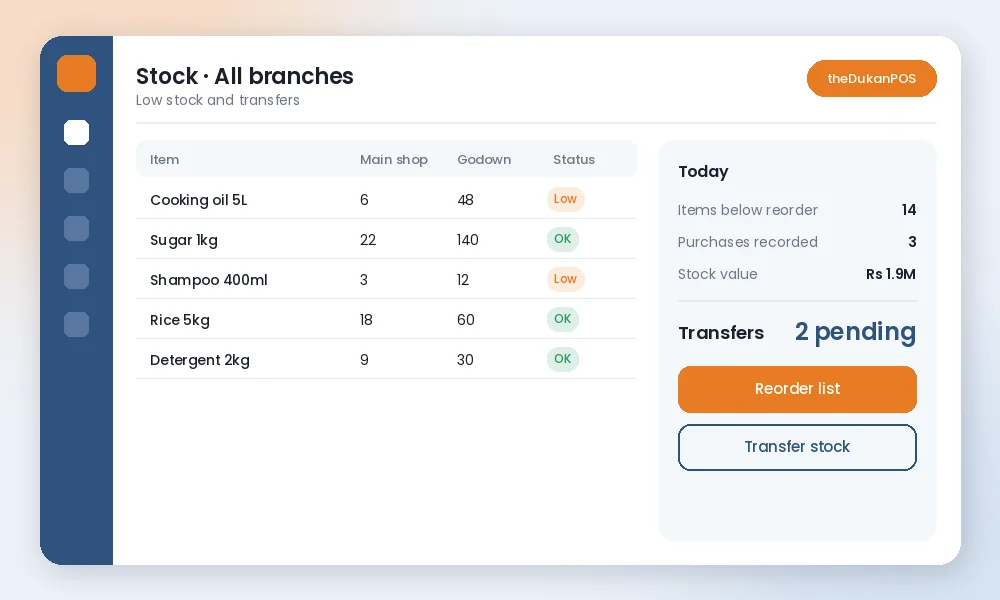
Set a reorder level for each item, and the software should list everything that has fallen below it. This turns ordering from guesswork into a five-minute task before the order booker arrives.
4. Barcodes and fast lookup
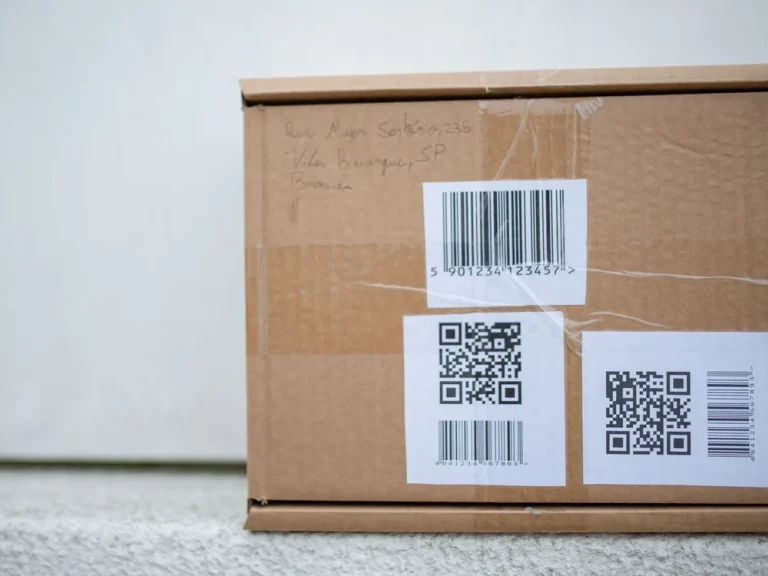
Barcode scanning makes billing and stock counts faster and more accurate. Check that the software can generate and print labels for items without barcodes. Our guide on how to create barcodes explains the options.
5. Units, packs and variants
Many businesses buy in cartons and sell in pieces, or buy in bags and sell by weight. Ask how the software handles units and conversions. Clothing and footwear shops need sizes and colours; ask whether the system supports variants or whether each size must be a separate item. Do not assume; test with your own products.
6. Multi-branch and godown
If you have a godown, a second shop or a warehouse, you need stock tracked separately for each location, with transfers between them and combined reports. Check how transfers are recorded and whether each branch sees only its own stock. theDukanPOS supports multi-branch businesses.
7. Stock counts and adjustments
Even with good software, physical stock drifts from the system due to damage, theft, expiry and mistakes. The software should make periodic counts easy and record adjustments with a reason, so you can see where losses come from.
8. Expiry and batch tracking, if you need it
Pharmacies, food distributors and cosmetics shops may need batch numbers and expiry dates tracked per item. This is a specialised feature that many systems do not offer or only partly support. If it is essential for you, ask the vendor to demonstrate it with your own products before buying. theDukanPOS lets you record expiry dates and batch codes with your stock and see what is near expiry; see expiry date and batch code tracking.
9. Reports that guide buying
- Stock value: how much money is on your shelves.
- Fast and slow movers: what to reorder and what to stop buying.
- Profit by item: which products actually earn.
- Stock movement history: where an item went.
See how reports work in reports and analytics.
10. Access from anywhere
Cloud inventory software lets you check stock from your phone, whether you are at the wholesale market deciding what to buy or at home in the evening. That alone can prevent many wrong purchases. theDukanPOS has a mobile app for this.
11. Ease of use and language
Staff who receive goods and count stock must be able to use the software correctly. An Urdu interface helps many teams in Pakistan. Ask a staff member to record a purchase and do a small count during the trial.
12. Cost, data and support
Compare the yearly cost including users, branches and add-ons. Ask whether you can export your item list and stock data if you ever leave, and how support works when something goes wrong.
Signs you have outgrown a register or spreadsheet
- You regularly discover items are out of stock only when a customer asks.
- You cannot say what your stock is worth without a full count.
- Supplier bills and your stock records do not match.
- You have a godown or second shop and do not know what is where.
If two or more of these sound familiar, inventory software will usually save more than it costs.
How to test inventory software
- Count and enter opening stock for 50 to 100 key items.
- Record a real supplier purchase and check stock and cost price update.
- Bill for a few days and watch stock reduce.
- Check the low-stock list and use it for your next order.
- Do a spot count of ten items and compare with the system.
- If you have two locations, record a transfer.
If stock in the system matches the shelf after a week, the software is doing its job.
Common mistakes when starting with inventory software
- Skipping the opening count. Wrong starting quantities make every later report wrong.
- Not recording purchases. If purchases are not entered, stock goes negative and reports stop making sense.
- Creating duplicate items. The same product entered twice under different names splits its stock.
- Never adjusting after counts. Record the difference with a reason so losses are visible.
Where theDukanPOS fits
theDukanPOS includes inventory management connected to billing, purchases, barcode labels, khata and reports, with multi-branch support and a mobile app, in English and Urdu, from PKR 2,500 per month with a 15-day free trial. It suits retail shops, wholesalers and distributors, installment showrooms and service businesses. It does not include offline mode, FBR integration, payment gateways or restaurant features.
Frequently asked questions
What is the best inventory software in Pakistan?
The best choice depends on your business. Look for stock linked to billing and purchases, low-stock lists, barcodes, multi-branch support if needed, clear reports and an interface your staff can use. Test two or three options with your own products.
Is inventory software different from POS software?
Some inventory tools are separate, but most shops are better served by a POS with built-in inventory, because each bill and purchase updates stock automatically.
Can inventory software handle a godown and a shop?
Systems with multi-branch support track stock separately for each location and record transfers between them. theDukanPOS supports multi-branch businesses.
How long does it take to set up inventory software?
You can start with your key items in a day or two. The most important step is an accurate opening count; add remaining items gradually.