Ask ten shopkeepers for the best billing software in Pakistan and you will get ten answers. A wholesaler in a grain market, a pharmacy in a housing society, a mobile accessories stall and a furniture showroom selling on installments all need different things from their billing. The “best” software is the one that fits how your shop actually works, that your staff can use under pressure, and that you can afford for years.
This guide explains what to look for when choosing billing software in Pakistan, the questions to ask vendors, and how to test before you pay. We make billing software ourselves, so we will also be honest about where other systems may suit you better.
Billing software vs full POS: what is the difference?
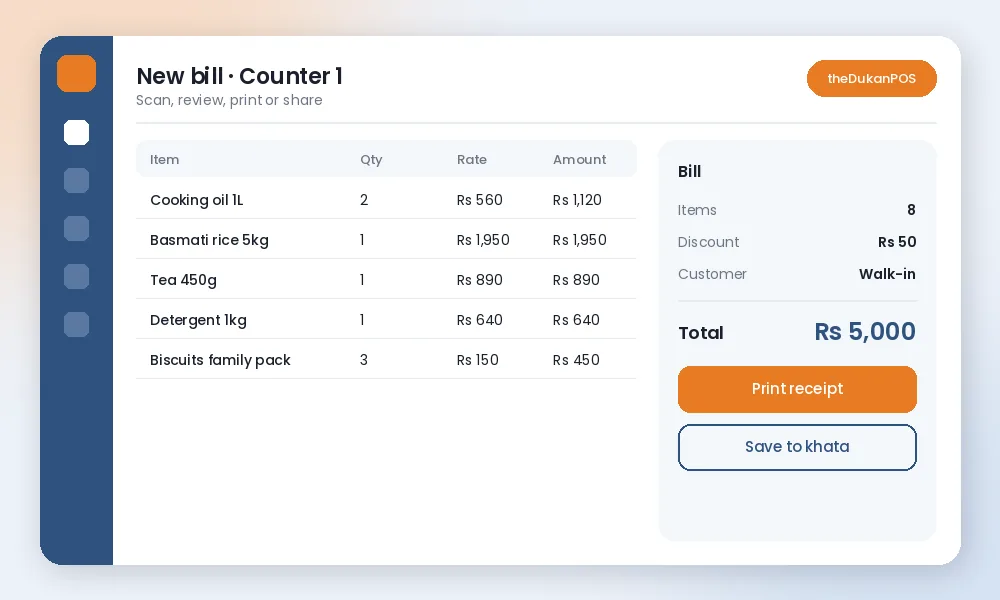
Simple billing software creates invoices: items, quantities, prices, totals and a printed or shared bill. A full POS system does billing too, but connects each bill to stock, customer accounts, purchases and reports. For a very small shop, billing alone may be enough. Most growing shops find that billing without stock and khata leaves them doing the same work twice. Our article on POS vs cash register explains the difference in more detail.
1. Speed at the counter
Billing software lives or dies at rush hour. Check how many steps a normal bill takes: search or scan an item, change quantity, apply a discount, take payment, print. Ask whether it supports barcode scanning, quick search by name in English or Urdu, and saved favourite items. Test it with a real queue in mind, not a quiet demo.
2. Language your team is comfortable with
Many shop staff in Pakistan are more comfortable reading Urdu than English. Software with an Urdu interface reduces mistakes and training time. Also check whether item names, receipts and customer names can be in Urdu, since many customers prefer an Urdu bill.
3. Receipts and invoices
- Does it print on common thermal receipt printers (58 mm or 80 mm)?
- Can you add your shop name, logo, address, phone and a note such as your return policy?
- Can bills be shared digitally as an image or PDF?
- Can you reprint an old bill quickly when a customer comes back?
See our page on receipt printing for printer advice.
4. Udhaar and customer accounts
If you give credit, billing software must handle it properly: save a bill to a customer’s account, record partial payments, and show the running balance on the next bill. Without this, you will keep a separate khata and the two will never match. Look for a proper khata feature.
5. Wholesale and retail rates
Wholesalers and distributors often sell the same item at different rates to different customers: retail, wholesale, special party rates. Check whether the software supports multiple price levels and party-wise ledgers. theDukanPOS has a wholesale setup for this.
6. Stock connected to billing
When billing and stock are connected, every bill reduces stock automatically, and you get low-stock lists without counting shelves. If the software only bills, you will need a second system for inventory. See inventory management.
7. Installments, bookings and services
If you sell on qist, take bookings or sell services, ask whether the software handles those directly: installment plans with due dates, appointment bookings, service jobs. Generic billing software rarely does, and spreadsheets on the side quickly get messy.
8. Reports you will actually use
Daily sales, profit by item, sales by staff member, outstanding udhaar and best sellers are the reports most owners check. Make sure they are easy to read on a phone, not buried in menus.
9. Cloud or desktop
Desktop billing software runs on one computer; if that computer fails without a backup, your data is at risk. Cloud billing software stores data online, lets you check sales from anywhere and makes adding a second branch simple, but it needs a working internet connection at the counter. Decide based on your internet reliability and whether you want remote access.
10. Tax and compliance needs
If your business is required to integrate with FBR’s POS system, for example as a Tier-1 retailer, you need software that specifically supports that integration. Ask vendors directly and get confirmation in writing. To be clear, theDukanPOS does not currently offer FBR integration, so if you need it today, choose a system that does.
11. Total cost and support
Compare the real yearly cost: subscription or licence, per-user or per-branch fees, add-ons, hardware and support. Then check support: is help available by phone or WhatsApp, in Urdu, during your shop hours? Contact support during the trial to see how quickly they respond.
12. Discounts, returns and staff control
Check how the software handles discounts and returns, because that is where money quietly leaks. Can you limit who may give discounts, and by how much? Are returns recorded against the original bill, with stock added back? Can you see which staff member made each bill? Good billing software makes honest mistakes visible and discourages dishonest ones.
How to test billing software before you pay
- Add your 30 to 50 best-selling items with real prices.
- Make 20 to 30 real bills, including discounts, returns and a credit sale.
- Print receipts on your printer and share one on WhatsApp.
- Ask a staff member to bill without your help.
- Check the end-of-day report against your cash.
If the software passes these tests in a week, it will probably work for you. Our getting started guide shows how to set up in a day.
A quick checklist
- Fast billing with barcode and name search
- Urdu interface and Urdu receipts if your team needs them
- Thermal printing and digital sharing
- Khata with running balances
- Wholesale price levels if you sell to shops
- Stock connected to billing
- Installments or bookings if relevant
- Clear reports on mobile
- FBR integration only if you are required to have it
- Transparent price and reachable support
Where theDukanPOS fits
theDukanPOS is a cloud POS with billing and invoicing, barcode labels, inventory, purchases, khata, installments, multi-branch, reports and a mobile app, in English and Urdu, from PKR 2,500 per month with a 15-day free trial. It suits retail, wholesale, installment, booking and service businesses. It does not include FBR integration, payment gateways, offline mode or restaurant features. Compare it fairly with other options on our comparison pages.
Frequently asked questions
What is the best billing software in Pakistan?
There is no single best option for every shop. The right software depends on your business type, how you give credit, whether you need stock control, your staff’s language and your budget. Shortlist two or three and test each with real bills.
Is there billing software in Urdu?
Yes. theDukanPOS has an English and Urdu interface. Ask any vendor whether receipts and item names can be in Urdu too.
Does theDukanPOS integrate with FBR?
No. theDukanPOS does not currently offer FBR integration. If your business must integrate with FBR’s POS system, choose software that confirms this support in writing.
How much does billing software cost in Pakistan?
Prices vary widely. theDukanPOS starts from PKR 2,500 per month, with a 15-day free trial.