Walk through any bazaar in Pakistan and you will see every kind of checkout: a calculator and a notebook, an electronic cash register, a computer with billing software, or a phone running a cloud POS. Shop owners often ask whether a cash register is enough or whether they need a full POS system. The honest answer depends on what you want to know about your business, not just on how you take money.
This article explains the difference between a POS and a cash register, what each costs you in time and money, and the signs that it is time to move up.
What a cash register does
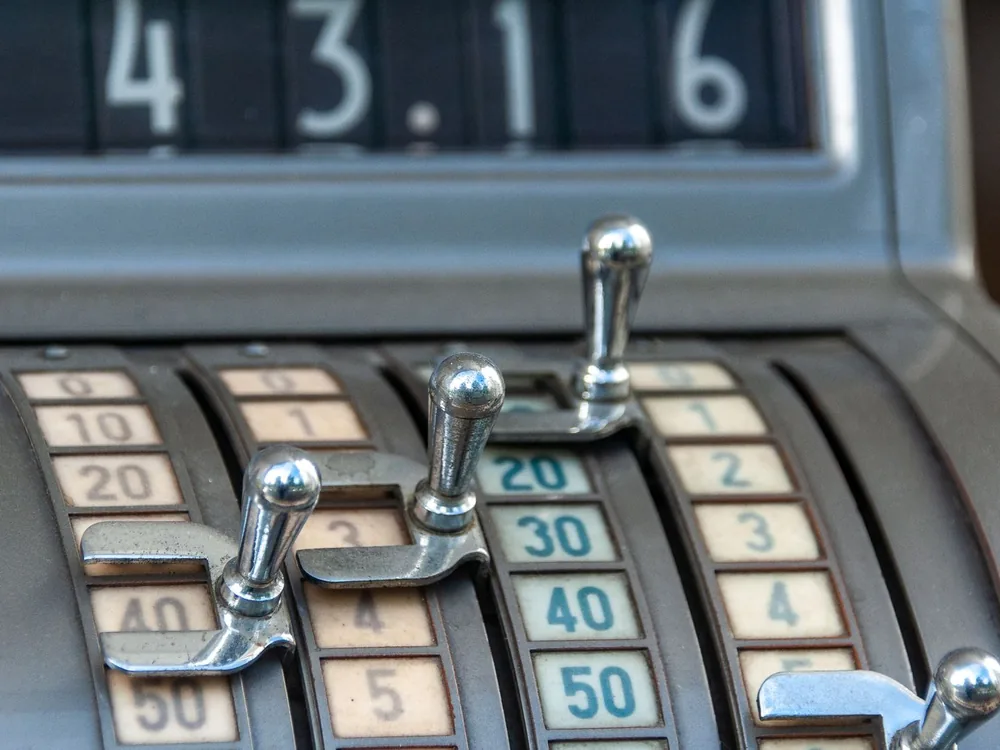
A cash register is a machine for totalling sales and storing cash. Basic electronic registers let you enter prices or department codes, add up the bill, print a simple receipt and keep the cash in a locked drawer. At the end of the day they print a total, often called a Z-report, showing how much was sold.
Registers are simple, sturdy and quick to learn. For a small shop with a few dozen products and one person at the counter, that can be enough.
What a POS system does
A POS (point of sale) system also totals the bill and records payment, but it treats each sale as data. Every bill records which items were sold, in what quantity, at what price, to which customer and by which staff member. From that, a POS can:
- Reduce stock automatically when you sell and increase it when you record a purchase.
- Show which products sell fastest and which sit on the shelf.
- Keep customer accounts, so udhaar balances update with each bill and payment.
- Show profit by item, by day or by branch, not just total sales.
- Let you check sales from your phone when you are away from the shop.
Modern cloud POS systems run in a browser or app on a computer, tablet or phone, often with a barcode scanner and a thermal receipt printer.
The key differences
1. Item-level tracking
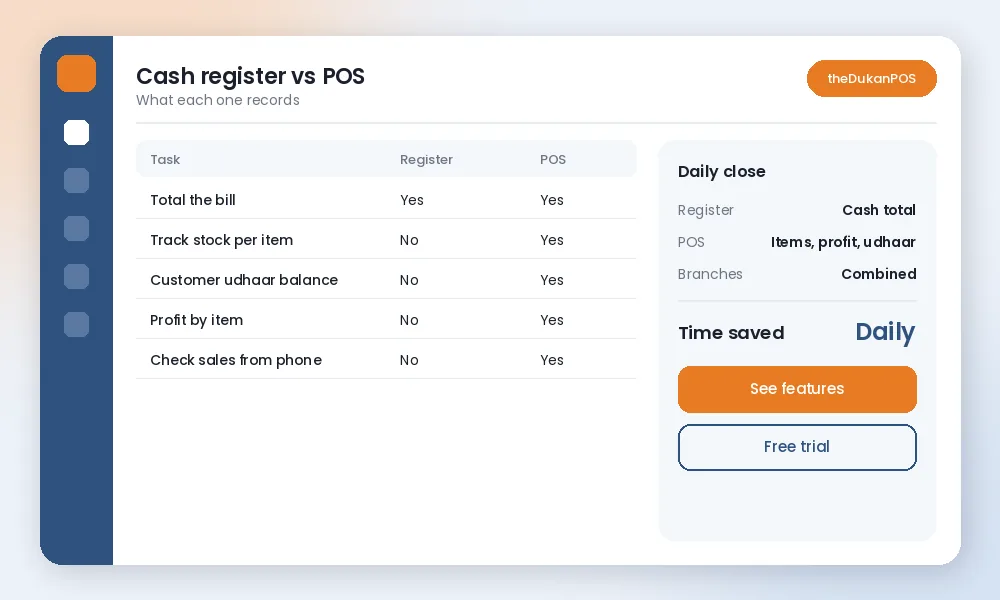
A register knows you sold Rs 48,000 today. A POS knows you sold 22 packs of a certain biscuit, 9 cooking oil tins and 3 rice bags, and that you have 4 oil tins left. That difference is what makes stock control possible.
2. Stock and reordering
With a register, you count shelves to know what to reorder. With a POS, low-stock lists tell you what is running out. Our stock management tips explain why this matters for cash flow.
3. Credit customers
Most Pakistani shops give udhaar. A register cannot track who owes what; that stays in a separate khata. A POS with a khata feature records credit sales against the customer and shows the balance on the next bill.
4. Profit, not just sales
Sales are not profit. A POS that knows the cost price of each item can show your actual margin. Many owners discover that a best-selling product earns very little, while a slow item is highly profitable.
5. Staff and control
With a register, a shortage at the end of the day is hard to explain. A POS records who made each bill, every discount and every return, so differences can be traced to a time and a person.
6. Access from anywhere
A register’s data lives in the machine. A cloud POS stores data online, so you can check today’s sales from home, or compare two branches.
What about a calculator and notebook?
Many small shops do not use a register at all: they add bills on a calculator and write udhaar in a notebook. This costs almost nothing and works while the shop is small and the owner remembers everything. The problems appear as the shop grows. Totals are added by hand, so mistakes go unnoticed. Nothing tells you what is running low. The khata can be lost, damaged or disputed, and there is no way to see profit. A register solves only the first of these problems; a POS addresses all of them. If you are moving straight from a notebook, our free khata template is a useful in-between step.
Cost: what you actually pay
A basic cash register is a one-time purchase, plus paper rolls and occasional repairs. A POS can run on hardware you may already have, such as a computer or Android phone, and cloud POS software usually has a monthly fee. For example, theDukanPOS starts from PKR 2,500 per month in Pakistan (USD $10 internationally). Add a barcode scanner and receipt printer if you want faster billing.
The real comparison is not just price. It is the cost of what a register cannot show you: expired stock you did not notice, udhaar that was never written, items reordered too late, and cash shortages with no explanation.
When a cash register is enough
- You sell a small number of products with simple prices.
- You do not give credit, or credit is rare.
- The owner is always at the counter and knows the stock by eye.
- You do not need item-level reports.
Signs it is time to move to a POS
- You have more than a hundred or so products, or many sizes and brands.
- You regularly run out of popular items or find expired stock.
- Your udhaar khata has many customers and frequent disputes.
- You have staff at the counter and cash differences you cannot explain.
- You want to know your profit, not just your sales.
- You are opening a second branch or a godown.
How to switch without disrupting the shop
- Start with your top-selling products; add the rest gradually.
- Enter opening stock for those items after a careful count.
- Move udhaar balances from your khata into customer accounts.
- Run the POS alongside your old method for a week to build confidence.
- Print barcode labels for items without barcodes.
Our getting started guide walks through the first week step by step, and you can compare paper and spreadsheet methods on our register vs POS comparison page.
The bottom line
A cash register answers one question: how much money came in today? A POS answers the questions that decide whether a shop grows: what sold, what is running out, who owes you, and what you actually earned. If those questions matter to you, it is worth trying a POS for a couple of weeks. theDukanPOS offers a 15-day free trial with billing, inventory, barcode, khata, installments and reports, in English and Urdu.
Frequently asked questions
What is the main difference between a POS and a cash register?
A cash register totals sales and stores cash. A POS system also records which items were sold and to whom, so it can track stock, customer credit, profit and staff activity.
Is a POS system expensive for a small shop?
Not necessarily. Cloud POS can run on a computer or phone you already own. theDukanPOS starts from PKR 2,500 per month with a 15-day free trial.
Can a POS print receipts like a cash register?
Yes. Most POS systems print receipts on a thermal printer and many can also share a bill digitally.
Do I need a barcode scanner for a POS?
No, but it makes billing faster and reduces mistakes. You can also print your own barcode labels for products that do not have one.