For most shops in Pakistan, WhatsApp is already the busiest “counter” after the physical one. Customers send voice notes asking if an item is in stock, regulars order their monthly ration, and suppliers share rate lists. Used casually, WhatsApp becomes a noisy mix of personal and business chats where orders get lost. Used deliberately, it brings repeat customers, faster orders and fewer missed payments.
This guide explains how shop owners can use WhatsApp Business in a simple, organised way. None of it needs technical skills, and most of it is free.
WhatsApp or WhatsApp Business: which one?
Use the free WhatsApp Business app for your shop number. It looks almost the same as normal WhatsApp, but it adds tools made for businesses: a business profile, a product catalogue, quick replies, labels, a greeting message and an away message. Keep your personal number on normal WhatsApp so family chats and customer chats do not mix.
If you already use your personal number for the shop, you can move that number to WhatsApp Business; your chats stay. Many shopkeepers prefer a separate SIM for the shop so a staff member can handle it when the owner is away.
1. Set up a complete business profile
Your profile is the first thing a new customer sees. Fill in every field:
- Name: the shop name exactly as it is on your board.
- Category: grocery, pharmacy, mobile shop, clothing, and so on.
- Address and location pin: so delivery riders and new customers can find you.
- Hours: including Friday timings and any lunch or prayer break.
- Short description: what you sell and whether you deliver, for example “Kiryana and household items. Home delivery in Block A–F.”
Use your shop logo or a clear photo of the shop front as the profile picture. A blurry selfie does not build trust.
2. Build a small catalogue of what customers ask for most
The catalogue lets you add products with a photo, price and short description. You do not need to add your whole stock. Start with 20 to 40 items customers ask about most often: popular phone accessories, a few clothing designs, monthly ration items, school supplies before the new term. Update prices when they change, because a wrong price in the catalogue causes arguments at the counter.
When someone asks “what do you have in chargers?”, you send the catalogue section instead of typing the same answer again.
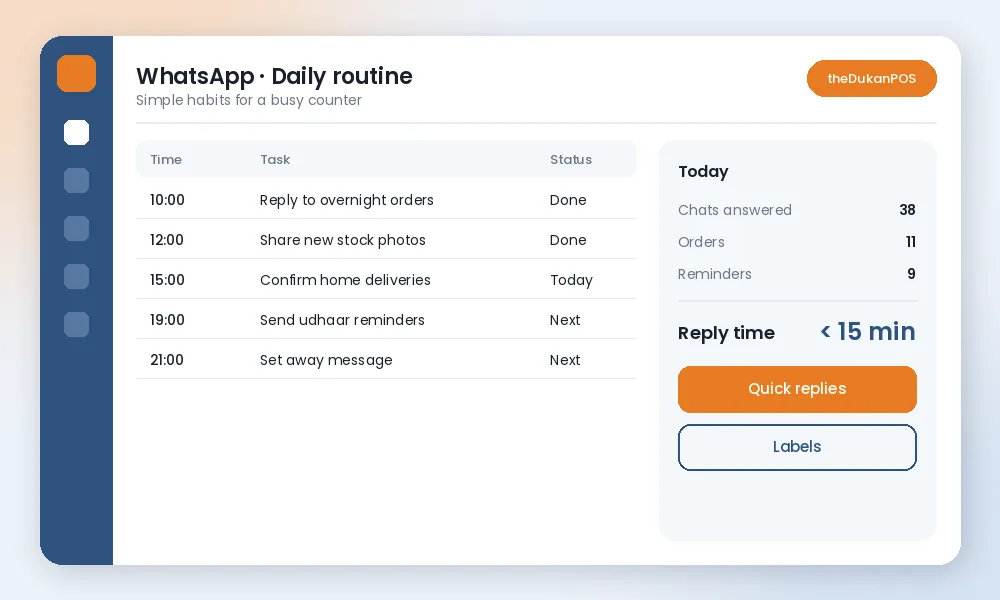
3. Save time with quick replies
Quick replies are saved messages you send with a shortcut. Create them for the questions you answer every day:
- /timing – shop hours and Friday timings
- /location – address and map link
- /delivery – delivery areas, minimum order and charges
- /order – “Please send item name and quantity, we will confirm the total.”
- /thanks – a short thank-you after payment
Five or six good quick replies can save an hour a day in a busy shop.
4. Organise chats with labels
Labels are coloured tags on chats. A simple set works well: New order, Pending payment, Delivered, Supplier and Regular customer. At the end of the day, open the “Pending payment” label and you know exactly who to follow up with. Open “New order” first thing in the morning so nothing from last night is missed.
5. Take orders in a clear format
Many order mistakes come from voice notes and half messages. Ask customers to send orders as a list: item, size or brand, and quantity. Reply with a confirmation that repeats the list and the total. When the order is packed, prepare a proper bill from your billing system so the price, quantity and total match what the customer sees. A photo or PDF of the bill shared in the chat removes most doubts on delivery.
If you use POS software, make the bill there first and then share it, instead of writing totals by hand in the chat. The sale is then recorded in your stock and reports automatically. See how billing and invoicing works in theDukanPOS.
6. Keep customers updated on delivery
A short “Your order is packed and leaving now” message prevents repeated calls. If an item is out of stock, say so before sending the rider and offer an alternative. Customers forgive a missing item; they do not forgive surprises at the door.
7. Send udhaar reminders politely
WhatsApp is a good channel for credit reminders because the customer can read it privately. Keep it short and factual: the balance, the date of the last payment and a friendly line. For example: “Assalam o Alaikum, your khata balance is Rs 4,200 as of today. Please clear it when convenient. Thank you.” Avoid sending reminders late at night or in family groups. Our guide to udhaar recovery has more tips, and a khata system makes the balance easy to check before you write.
8. Use status updates, not spam
WhatsApp Status is a gentle way to show new stock, Eid collections or back-in-stock items. Post one or two good photos a day with the price. Broadcast lists can reach customers who saved your number, but use them sparingly: one useful message a week is fine; daily promotions get you muted or blocked. Never add customers to groups without asking.
9. Set greeting and away messages
A greeting message welcomes first-time contacts and tells them how to order. An away message outside shop hours sets expectations: “We are closed now. We open at 10 am and will reply then.” Customers are much more patient when they know when to expect a reply.
10. Separate suppliers from customers
Suppliers send rate lists, delivery notes and payment requests. Label them clearly and keep their bills in your purchase records rather than relying on chat history. When a rate changes, update your cost price the same day so your profit numbers stay correct. theDukanPOS has purchase and supplier management for this.
11. Protect your account and your customers
- Turn on two-step verification in WhatsApp settings.
- Do not share verification codes with anyone, even someone claiming to be from WhatsApp or a bank.
- If staff use the shop phone, decide who can send prices and who can promise credit.
- Back up chats regularly so a lost phone does not mean lost orders.
12. Measure what works
Once a month, look at how many orders came through WhatsApp and which items people asked about most. Those requests tell you what to stock more of. If customers keep asking for an item you do not have, that is free market research.
Where WhatsApp stops and your shop system starts
WhatsApp is excellent for conversation, but it is not a record-keeping system. Chat history is hard to search, and totals typed in a chat do not update your stock or your khata. The best setup is simple: talk to customers on WhatsApp, and record every sale, payment and purchase in one place, whether that is a register or POS software. Customers can also reach us on WhatsApp if you want to see how theDukanPOS handles billing, stock and khata for shops like yours.
Frequently asked questions
Is WhatsApp Business free for shops?
Yes. The WhatsApp Business app is free to download and use on Android and iPhone. It adds a business profile, catalogue, quick replies, labels and greeting and away messages.
Can I use the same number for WhatsApp and WhatsApp Business?
One number can be active on only one of the two apps at a time. Many shopkeepers keep a separate SIM for the shop so personal and business chats do not mix.
How often should I message customers?
Reply to customers quickly, but send promotional broadcasts rarely, about once a week at most. Too many messages lead customers to mute or block your number.
Should I record WhatsApp orders separately?
Record them in the same billing system as counter sales so stock, reports and udhaar balances stay correct. WhatsApp chat history is not a reliable record.